
What are dt qt pt rt in R for Marketing Analytics
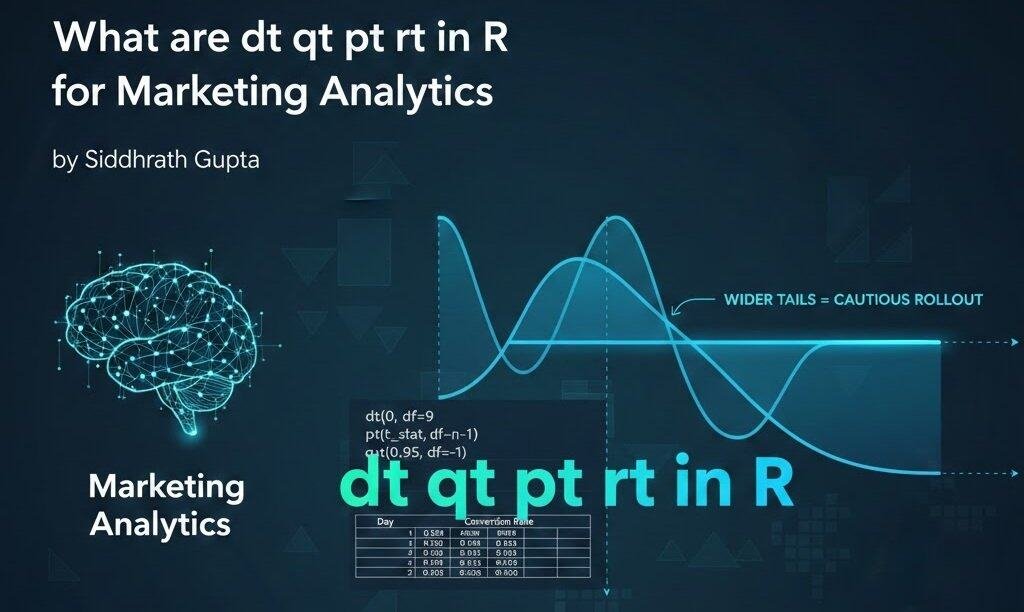
I will give my honest opinion on dt qt pt rt in R in this article.
Why Marketers Keep Running Into These Four R Functions
R for Marketing Analytics starts to feel real the moment you run your first A/B test and R throws t.test() output at you with numbers you don’t fully trust yet.
I have sat across the table from enough marketing teams and research students to know this moment well, after more than 20 years in analytics consulting across R, Python and SQL, with an MBA and an M.Tech behind that. You get a p-value. You get a confidence interval. And somewhere under the bonnet, R quietly used pt() and qt() to work that out, without you necessarily noticing.
That is usually the first time anyone types dt, pt, qt or rt into the R console on purpose. Before that, most marketers treat these as background noise, something R just does automatically.
The real-world trigger
Nobody opens R wanting to learn these four functions for their own sake. They open it because a campaign manager asked if Variant B is actually better, or if the team just got lucky with this sample. That question needs a proper hypothesis test, and R’s t.test() function is built entirely on top of pt() and qt().
Why the naming convention looks intimidating at first
R names its distribution functions in a fixed pattern. For any distribution, you get four versions, and only one letter changes while the rest stays the same. For the t-distribution specifically, that gives you dt, pt, qt, rt. It looks cryptic for about five minutes, then it clicks, and you realise it is one of the more elegant conventions in the language. It is also some of the most useful statistics for marketers to actually understand, instead of just trusting blindly.
The Four Functions, Explained in Plain English
Here is the one-line definition I would want if I were reading this for the first time. The t-distribution functions in R, dt, pt, qt and rt, calculate the density, cumulative probability, quantile and random values of Student’s t-distribution, the distribution R uses for small-sample significance testing in marketing experiments. All four live together on R’s own TDist reference page, if you want the exact technical definitions straight from the source.
dt(), the density function
dt(x, df) tells you how likely a specific t-value is, for a given degrees of freedom. On its own, marketers rarely call this directly. It matters because it is the building block the other three functions use underneath.
Most people run all of this inside RStudio, now part of Posit, which remains the most common place marketers actually type these functions.
pt(), the cumulative probability function
pt(x, df) answers the question of what proportion of outcomes fall below a given value. This is the function doing the real work behind your p-value. When R reports a p-value from t.test(), it has already run something very close to pt() behind the scenes.
qt(), the quantile function
qt(p, df) works the other way round. Give it a probability, it gives you back the t-value. This is how R finds your critical value, the cutoff that decides whether a result counts as statistically significant at a given confidence level.
pt() vs qt(), the difference in one line
If you remember only one distinction from this whole article, make it this one. pt() starts from a value and gives you back a probability, while qt() starts from a probability and gives you back a value. One turns a t-statistic into a p-value, the other turns a confidence level into a critical cutoff.
rt(), the random generation function
rt(n, df) draws random values from a t-distribution. Marketers use this far less often in live testing, and far more often in simulation work, which gets its own section later in this article.
Quick-reference table
| Function | What it answers | Typical marketing use |
|---|---|---|
dt() | How likely is this exact value | Background calculation, rarely called directly |
pt() | What is the cumulative probability | Getting the p-value for an A/B test |
qt() | What value matches this probability | Getting the critical value or a confidence interval bound |
rt() | Generate random values from this distribution | Simulating campaign or budget scenarios |
This same four-letter pattern repeats across every distribution R supports. Swap the t for norm, and dnorm, pnorm, qnorm and rnorm do the identical job for the normal distribution instead, worth knowing once this particular set of four stops feeling unfamiliar.
The Story Behind the t-Distribution, and Why It Matters for Small Samples
Who Student actually was
The t-distribution was developed by William Sealy Gosset, who published under the pen name Student because his employer, the Guinness brewery, did not allow staff to publish research under their own names. Gosset needed a way to draw reliable conclusions from very small batches of beer samples, and the normal distribution was not built for that. I bring this up because it is the most honest answer to why this distribution exists in the first place. It was built for exactly the small-sample problem marketers face every single day.
Why marketing test groups are almost always small sample
A marketing experiment rarely has the luxury of thousands of clean, independent observations. A campaign test group of 30 to 80 people is normal, not an exception. Statistically, that counts as a small sample, and small samples need the t-distribution’s wider tails, not the normal distribution’s assumption of near-certainty.
If you are deciding between a before-after campaign comparison and a longer tracked rollout, it is worth reading up on cross-sectional vs longitudinal research design before you even collect the data. The test you can legitimately run depends on how the experiment was designed, not just on the numbers you end up with.
t-distribution vs normal distribution, side by side
The t-distribution looks almost identical to the normal distribution, except for fatter tails. Those fatter tails exist to account for the extra uncertainty that comes from estimating a population’s spread off a small sample instead of knowing it with certainty. As sample size grows past roughly 30, the t-distribution and normal distribution converge, which is why large-scale marketing data such as millions of transactions can often get away with normal-distribution shortcuts that a 40-person test group simply cannot.
Using pt() and qt() to Judge a Marketing A/B Test Manually
Most people jump straight to t.test() and never see what is happening underneath. I think that is a mistake, because the day your output looks strange, you need to know how to check it by hand. Here is the manual version, step by step.
Quick answer before the walkthrough. You don’t need to abandon t.test(), it already calls pt() and qt() internally. The manual version below matters because it’s the only way to catch a wrong assumption, a mismatched degrees of freedom, or a one-tailed versus two-tailed mix-up, that t.test() will happily compute around without warning you.
- Set up your two campaign variants. Say Variant A converts 42 out of 400 visitors, and Variant B converts 58 out of 400 visitors.
- Calculate your t-statistic. This comes from the difference in conversion rates divided by the standard error of that difference, worked out from both sample sizes.
- Decide your degrees of freedom. For a simple two-sample case, this is roughly the combined sample size minus two. A sample size calculator is worth running before the test even starts, not after, so degrees of freedom are not something you end up guessing retroactively.
- Get your p-value with pt(). In R, something close to
2 * (1 - pt(abs(t_stat), df))for a two-tailed test gives you the probability of seeing a difference this large purely by chance. - Get your critical value with qt().
qt(0.975, df)gives you the cutoff for a 95 percent confidence, two-tailed test. If your t-statistic sits beyond that cutoff, your result is statistically significant at that confidence level. - Compare and conclude. If
pt()gives you a p-value under 0.05, or your t-statistic clears theqt()cutoff, Variant B’s lift is unlikely to be random noise. - Degrees of freedom, one rule at a timeTest typeDegrees of freedom formulaOne-sample t-testsample size minus 1Two-sample t-test, equal variance assumedcombined sample size minus 2Paired t-testnumber of pairs minus 1
Picking the wrong row here is the single most common reason a hand-calculated result in R for Marketing Analytics won’t match t.test()’s own output.
This is also where picking the right test matters more than people assume. A straightforward A/B split calls for an independent two-sample t-test. A before-and-after campaign on the same audience is a different animal entirely. The same significance logic still applies though, to a dissertation hypothesis or a live marketing campaign, something I unpack in paired t-test vs repeated measures ANOVA. I see marketers apply the wrong one of these two more often than any other mistake on this list, and it quietly inflates confidence in results that were never tested correctly to begin with.
Building a Confidence Interval Around a Marketing KPI
A single number in a client report is an invitation for someone to argue with it. A confidence interval around that number is harder to dismiss, and it is exactly what qt() is built for. This is where R for Marketing Analytics earns its keep over a bare point estimate in a slide deck.
Conversion rate example
Say your campaign converts at 14.5 percent, off a sample of 350 visitors. Using qt(0.975, df) for your critical value, then multiplying it by the proportion’s standard error, gives a margin either side of 14.5 percent. You might end up reporting a conversion rate of 14.5 percent with a 95 percent confidence interval of roughly 11.2 percent to 17.8 percent. That is a fairer picture than a bare number, which implies more precision than the data actually supports.
AOV example
Average order value works the same way, except you are usually dealing with a mean rather than a proportion, so the degrees of freedom come from the sample size minus one. I have seen teams report average order value to two decimal places from a sample of 25 orders, with no interval at all, which overstates a certainty the data simply does not have.
A short case in point
Here’s a composite example, built from a pattern I’ve seen across more than one D2C skincare client rather than a single case. A brand ran two email subject lines on a list of around 60 recipients. Variant A showed a slightly higher open rate on paper.
Once I ran the confidence interval through qt(), the two intervals overlapped almost completely, meaning the apparent win was well within the range of ordinary sampling noise. We held off declaring a winner and re-tested on a larger list the following month, where the real difference turned out to be negligible, and without the interval, that subject line would have gone into the brand’s playbook as a proven winner based on nothing more than 60 people and a coin-flip-sized gap.
Simulating Marketing Scenarios with rt()
Why simulate instead of just testing live
Not every marketing question can be answered by waiting for a live test to finish. Budget planning, worst-case revenue scenarios, and customer lifetime value forecasts are classic data analysis problems, and all benefit from running thousands of plausible outcomes before committing real spend.
A simple Monte Carlo example
rt(1000, df = 29) generates 1,000 random draws from a t-distribution with 29 degrees of freedom, which you can then scale and shift to represent your own data. Run that a few thousand times across a budget model, and you get a realistic spread of outcomes instead of one single best-guess number. I use this exact approach when a client wants a fee or budget forecast to survive scrutiny from a finance team, not just a marketing one.
Mistakes I See Marketers Make With These Functions
Treating every dataset as normal when it isn’t
Revenue data in particular is almost never symmetric. It tends to have a long right tail from a handful of large orders. Before assuming a t-distribution is even the right tool, it is worth checking normality properly. The normality check itself doesn’t care whether it’s sitting in a dissertation or a campaign report, and my Shapiro-Wilk test guide walks through running that check in a few lines of R. I would rather you run it than assume.
Misreading a one-tailed vs two-tailed p-value
This single mix-up probably causes more wrong conclusions in marketing decks than any other statistics error I have seen in 12 years of reviewing this kind of analysis. A one-tailed test only checks for improvement in one direction. A two-tailed test checks both, and pt() needs to be told which one you mean.
Ignoring degrees of freedom entirely
I have reviewed marketing reports where someone copied a critical value from a textbook table without checking whether their own sample size matched the table’s assumption. qt() removes that excuse completely, since it calculates the exact value for your exact degrees of freedom every single time.
A widely cited warning worth a second look
Evan Miller’s essay How Not to Run an A/B Test is still one of the most shared pieces on repeated significance testing, checking a test again and again and stopping the moment it looks significant. He’s right that this quietly inflates your false-positive rate well past the 5 percent most marketers assume they’re working with. Where I’d push back slightly is on how the piece tends to get used, often as a reason to avoid checking results at all until a test ends. The more useful fix is simpler, decide your sample size and degrees of freedom upfront with qt(), then treat any early check as curiosity rather than a decision point.
Is R for Marketing Analytics Actually Worth It, or Should You Just Use Excel or Python
Where R wins
R programming was built by statisticians, for statistics, and it shows. t.test(), dt(), pt(), qt() and rt() are native, well documented, and need nothing extra installed. For anyone doing this kind of analysis regularly, R for Marketing Analytics genuinely pays for itself within the first few proper experiments, simply in time saved not fighting the tool.
Where it is genuinely overkill
If your team runs one A/B test every quarter and never needs a confidence interval beyond that, a built-in platform calculator or a simple Excel formula does the job without anyone needing to learn a new language. I would not tell a small team to learn R purely for this. R earns its place the moment a team is running this kind of test often enough that doing it by hand in Excel starts costing more time than learning R would.
| Tool | Best for | Where it struggles |
|---|---|---|
| Excel | One-off tests, small teams, quick checks | Breaks down past a handful of variants, no native simulation |
| Python | Teams already building in Python, production pipelines | Marketing-specific stats functions need extra libraries, slightly steeper setup for a one-off test |
| R | Repeated testing, confidence intervals, simulation work | Overkill for a single quarterly test, needs a short learning curve upfront |
Other everyday marketing decisions, such as choosing between Pearson and Spearman correlation when relating ad spend to conversions, come up constantly once a team starts working in R properly, which is usually the point most teams decide the investment was worth it. From there, the natural next step is automating the same checks into a recurring report, or feeding the results straight into a marketing dashboard instead of re-running a script by hand each time.
FAQ
How do I use the rt function in R?
rt(n, df) generates n random values drawn from a t-distribution with the degrees of freedom you specify. Marketers typically use it inside a simulation, not as a one-off check, for example generating 1,000 plausible outcomes for a budget model.
Is R good for marketing analytics?
Yes, particularly once a team moves past basic reporting into significance testing, confidence intervals, or simulation. R for Marketing Analytics is strongest when a team runs these kinds of tests often enough to justify the learning curve.
What is the difference between t-distribution and normal distribution?
The t-distribution has fatter tails than the normal distribution, to account for the extra uncertainty of working with a small sample. As sample size grows past roughly 30, the two distributions converge and the difference stops mattering much in practice.
How do I calculate a p-value using R’s t-distribution functions?
For a two-tailed test, 2 * (1 - pt(abs(t_stat), df)) converts a t-statistic into a p-value. t.test() does this automatically, but knowing the manual version means unusual output can be sanity-checked instead of taken on faith.
When should I not use a t-distribution for marketing data?
Skip it when data is heavily skewed, such as raw revenue figures with a handful of very large orders, or when the sample is large enough that a normal approximation is just as accurate. Checking normality first, rather than assuming it, avoids this mistake entirely.
What’s a common R error with these functions, and what causes it?
The most frequent one is a mismatched or missing degrees of freedom argument, which either throws an error or silently returns a nonsensical value. Always double check that df reflects the actual sample size, not a number copied from an example.