
My SPSS Results Look Wrong: A 12-Point Analysis Audit Before You Run Everything Again
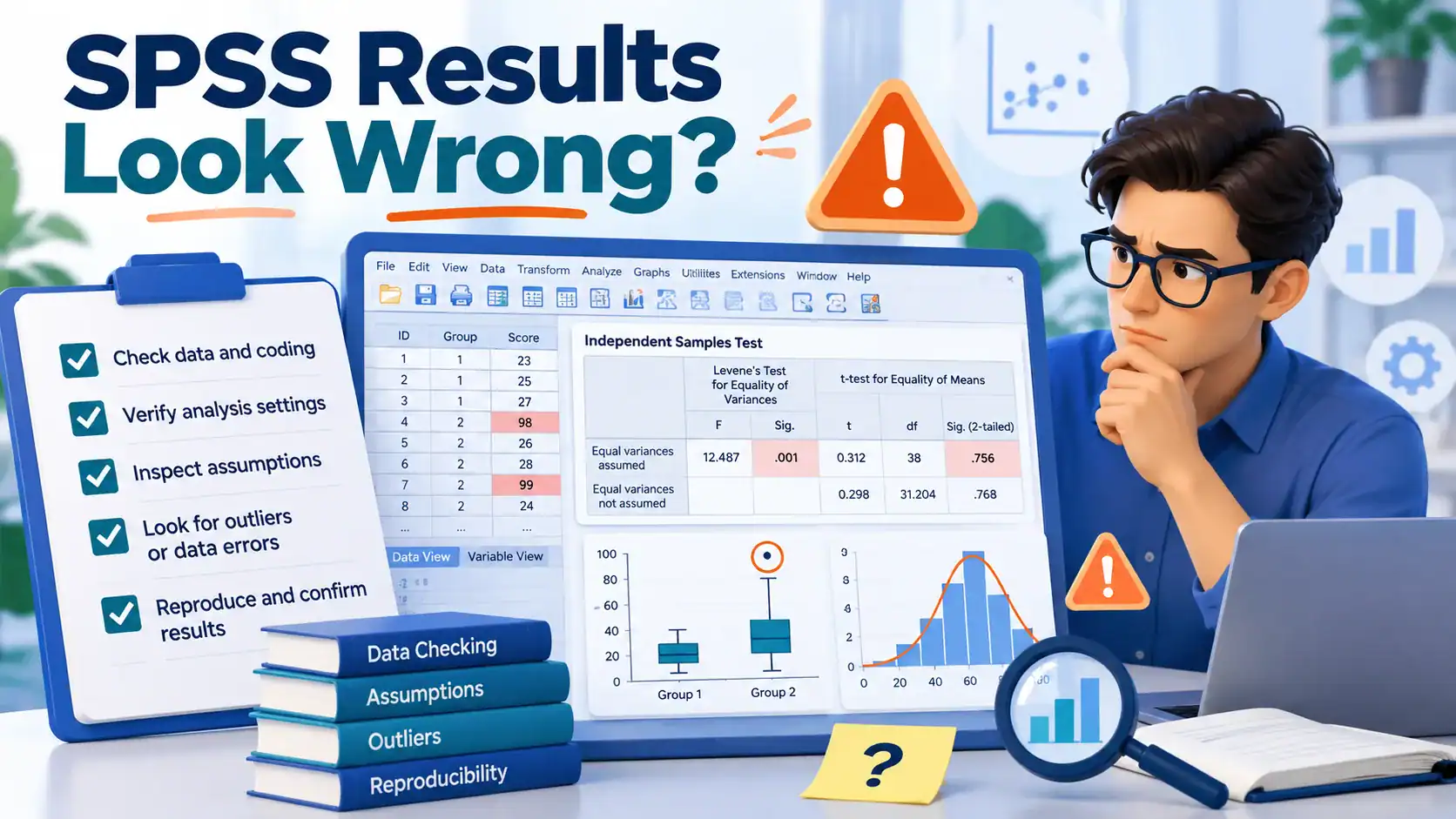
If your SPSS results look wrong, do not rerun the whole analysis straightaway. First audit your sample size consistency across tables, missing value coding, skipped assumption tests, and whether you are reading the correct output table. Most apparent SPSS analysis errors trace back to one miscoded variable or one skipped check, not a flawed analysis.
SPSS results look wrong, and your first instinct is to delete everything and start over. Don’t. In twelve years of helping dissertation students with their data analysis, I have seen this exact panic n number of times, and in most cases the fix takes twenty minutes, not twenty hours.
Before you touch that rerun button, run through this 12-point audit. It is the same checklist I use when a client sends me output at midnight saying their numbers do not make sense. Nine times out of ten, the analysis itself is fine. What is broken is one small setting, one miscoded variable, or one misread table.
Is Your SPSS Analysis Actually Wrong, or Just Unexpected?
There is a real difference between SPSS output looks wrong and SPSS output is wrong. The first means the numbers surprised you. The second means there is an actual error somewhere in the data, the settings, or the test you chose.
Most students treat these as the same problem. They are not. A result can be statistically sound and still feel wrong because it contradicts your hypothesis, contradicts the literature you read, or simply does not match what you expected the data to say.
I tell every client the same thing on the first call: your gut feeling is not a statistical test. If your SPSS results are different than expected, that alone is not evidence of an error. It is a reason to check, not a reason to panic and rerun.
The 12-Point SPSS Analysis Audit Checklist
This is how to check SPSS analysis properly, in the order I actually use with clients. Forums like IBM’s own SPSS community are full of one-off threads solving a single person’s exact dataset problem, useful for that one person and not reusable for you. Go through all 12 points below, in order, before you touch anything. Most SPSS analysis errors hide in the first five.
1. Check Your Sample Size (N) Across Every Table
Open every output table and compare the N. If your descriptive statistics show 312 cases and your regression output shows 298, something dropped 14 cases somewhere, and SPSS will not tell you why on its own. This single check catches more problems than any other step on this list.
2. Confirm Missing Values Are Actually Coded as Missing
If a respondent skipped a question and you entered 99 or -1 as a placeholder, SPSS treats that as a real number unless you explicitly declared it missing under Variable View. I once worked with a psychology master’s student whose entire ANOVA was being dragged down by a handful of 999s that SPSS was happily averaging into her mean scores. One missing value declaration fixed six weeks of confusion.
3. Verify Level of Measurement on Every Variable
Nominal, ordinal and scale are not cosmetic labels. They change which tests SPSS offers you in its menus, and they change which tests are statistically appropriate. A Likert item marked as scale when it should be ordinal will happily run a Pearson correlation it should never have been allowed to run.
4. Check Variable Type, String vs Numeric
A variable entered as text (string) cannot be used in most calculations, even if every value in it looks like a number. SPSS will refuse, skip it silently in some procedures, or throw an error that does not explain the real cause. This is easy to overlook because the column looks fine to your eyes.
5. Re-verify Which Test You Actually Ran
Click history and memory are unreliable at 1 a.m. Reopen the syntax or check the Output Viewer’s log to confirm you ran the test you think you ran, with the options you think you selected. I ask every client to paste me their syntax first, before anything else, because half the time the real error is a wrong submenu choice.
6. Check the Assumption Tests You Might Have Skipped
Nearly every parametric test in SPSS, the t-test, ANOVA, regression, carries assumptions: normality, homogeneity of variance, linearity, no severe multicollinearity. Skipping these is the single most common reason SPSS results do not make sense to a supervisor at the viva stage. Run a Shapiro-Wilk test for normality, a Variance Inflation Factor check for multicollinearity, and a Durbin-Watson check for autocorrelation if your data has a time or sequence component, before you trust any regression output. If your study relies on multi-item scales, also check Cronbach’s alpha before you trust a composite score. A value below 0.7 usually means the scale itself needs attention, not your regression.
Stuck with SPSS output that looks wrong?
Get practical assistance reviewing missing values, coding, assumptions and model choices.
Audit My SPSS Results on WhatsApp7. Hunt for Data Entry and Coding Errors
Look for impossible values: a Likert item scored 7 on a 5-point scale, an age of 215, a percentage above 100. These sit quietly inside your dataset and distort means, standard deviations, and every test downstream of them. Run Frequencies on every variable before your main analysis, every time, no exceptions.
8. Check for Outliers and Their Influence
An outlier is not automatically an error, but it can single-handedly flip a correlation or inflate a standard error. Box plots and Z-scores in SPSS will flag them quickly. Decide deliberately whether to keep, transform, or remove them, and document that decision, because an examiner will ask.
9. Understand Sig. = .000 and SPSS’s Rounding Display
Sig. = .000 means the true p-value is smaller than .0005, not an exact zero. SPSS displays significance values to three decimal places by default, so a true p-value of .0002 and .00001 both show as .000. APA style requires you to report this as p < .001, not p = .000, because the second is technically inaccurate. This one line trips up more dissertation students than anything else on this list, and it is not even a genuine error in the analysis.
10. Check Listwise vs Pairwise Deletion Settings
Under missing data options, SPSS often defaults to listwise deletion, which drops an entire case if even one variable in the analysis is missing. Switch to pairwise where appropriate and your N, and sometimes your results, will change completely. This explains a lot of the “my sample size keeps changing” complaints I get.
11. Confirm You’re Reading the Correct Output Table
SPSS often prints more than one similar-looking table in a single output, especially for correlations, reliability, and post-hoc tests like Tukey HSD versus Games-Howell. Reading the wrong one is a surprisingly common and entirely silent error. Double-click into the table and check its header, not just the numbers.
12. Cross-Check the Interpretation Against Your Hypothesis and Literature
Once the numbers check out, sanity-check the story. Does a negative coefficient actually mean what you wrote in your discussion section? I have corrected more interpretation errors than calculation errors over a decade of doing this work, and this step catches almost all of them.
How to Know If It’s a Genuine But Unexpected Result
If you have gone through all 12 points and everything checks out, you may simply have a correct but unexpected finding. This happens constantly in real research, and it is not a failure. It is often the most interesting part of a dissertation.
How to know if SPSS results are correct, once the technical checks pass, comes down to this: does the result hold up when you rerun it with a slightly different but equally valid specification, a different covariate order, an alternative standard error estimator, or a bootstrapped confidence interval? If yes, trust it.
When you present it to your supervisor, do not apologise for it. Explain the audit you ran, point to the specific assumption tests you passed, and frame the unexpected finding as a contribution, not a mistake. Examiners respect a student who can defend a result far more than one who quietly massages it into something expected.
What NOT to Do When SPSS Results Look Wrong
Don’t rerun the entire analysis from scratch. This is the single most time-wasting reaction to SPSS analysis errors. If the dataset and syntax were correct the first time, rerunning changes nothing except how many hours you lose. Audit first, rerun only the specific step the audit flags.
Don’t let AI tools interpret your output for you. I have had three clients this year alone come to me after a supervisor flagged their results write-up on Turnitin’s AI-detection flags, even though the student ran the analysis themselves and only used an AI tool to explain the table. If you are unsure whether AI involvement in your interpretation could raise flags, verify your AI-generated dissertation analysis before you submit. If a committee member has already raised the question, read what to do if you’ve been accused of using AI in your dissertation before you respond to them.
Don’t quietly change your hypothesis after seeing the result. I understand the temptation. A supervisor or examiner who later compares your proposal to your final write-up will notice, and it damages your credibility far more than an honestly reported unexpected finding ever would.
When to Get a Second Opinion or a Professional SPSS Audit
Not every situation needs outside help, but some clearly do. Get a second opinion if any of these are true: your supervisor says your SPSS analysis is wrong but cannot point to exactly where, you have run through all 12 points above and still cannot explain the output, your submission deadline is under a week away, or you are dealing with a complex design (mediation, moderation, multilevel modelling) that you learned for the first time this semester.
An SPSS data analysis audit is an independent check of your syntax, assumption tests, variable coding, and write-up against each other, the way I walked through above. It ends with a plain-language explanation of what is actually happening and why. This is different from a check statistical analysis dissertation service that just reruns the same test and hands you back the same output with a signature attached.
Costs for this kind of review vary depending on complexity. A straightforward t-test or correlation audit for one chapter is quick and inexpensive. A full regression or structural equation model audit with assumption testing and write-up review takes longer, usually a day or two of turnaround rather than weeks.
How I Audit a Client’s SPSS Analysis
Here is roughly what happens when a dissertation student sends me their SPSS file saying the results look wrong. I start by asking for the raw .sav file and the syntax, never just a screenshot of the output, because screenshots hide exactly the kind of setting errors this checklist is built around.
A nursing PhD candidate came to me two weeks before her viva. Her supervisor had flagged her logistic regression as not making sense, because two predictors that should have been significant based on her literature review were not. We ran through the 12 points together, and point six caught it: she had never checked for multicollinearity, and two of her predictors were correlated at 0.89. Once we addressed that honestly in the write-up, her committee accepted the chapter with minor revisions.
Another case, an MBA student running a simple independent samples t-test, had results that would not replicate between her own copy and her supervisor’s. Point one found it: her supervisor’s file had 4 extra cases, duplicated during an Excel-to-SPSS import. Twenty minutes, not twenty hours.
I will say this plainly, because most dissertation guidance avoids it: the SPSS Survival Manual by Julie Pallant is genuinely one of the better references for learning SPSS procedures correctly, but it is written as a classroom textbook, not as triage for a panicking student at midnight with a submission deadline. It teaches you how to run tests correctly the first time. It does not teach you how to audit output you already have in front of you and cannot explain, and that gap is exactly what this checklist, and my review process, exist to close.
If you want a full SPSS statistical analysis review rather than talking yourself in circles at 2 a.m., book a session with an SPSS tutor and send me the file directly. I will revert within a day with whether it is a real error or a real finding.
Need expert help with SPSS output that looks wrong?
Get guidance on whether surprising results reflect errors or genuine effects.
Get an SPSS Second Opinion on WhatsAppFrequently Asked Questions
Can SPSS results genuinely be wrong, or is it usually user error?
Genuinely wrong SPSS output, a software bug, is extremely rare. In twelve years, I have seen it perhaps twice. Almost every case of SPSS giving the wrong answer traces back to a coding, setting, or interpretation issue on the user’s side.
What does Sig. = .000 mean in SPSS?
It means the true p-value is smaller than .0005, rounded down by SPSS’s default three-decimal display. Report it in your write-up as p < .001, never as p = .000, which implies an impossible exact zero.
My supervisor says my SPSS analysis is wrong. What should I do first?
Ask them to point to the specific table or value they are questioning, rather than accepting a general “this looks wrong.” Then run it through the 12-point audit above before you touch the dataset again, so you can respond with specifics instead of guesses.
How much does an SPSS data analysis audit cost?
It depends entirely on the complexity of your design. A single t-test or correlation check is quick and low cost. A multi-step regression, mediation, or structural equation model with full assumption testing and write-up review costs proportionally more.
How long does a full SPSS analysis audit take?
A straightforward audit usually takes a day or two. More complex models, especially ones involving several assumption tests and a full write-up cross-check, can take three to five days depending on how much documentation you provide upfront.
Should I rerun my entire analysis if one result looks off?
No, not as a first move. Rerunning without knowing what actually went wrong wastes time and risks introducing a new error on top of the old one. Audit first, identify the exact point of failure, then rerun only that specific step.